Post your available equipment to find matching loads. Set your route, capacity, and preferences, then choose how brokers can contact you.
Before you begin:
Have your availability date, preferred route, equipment type, available length, and weight capacity ready.
Start a posting
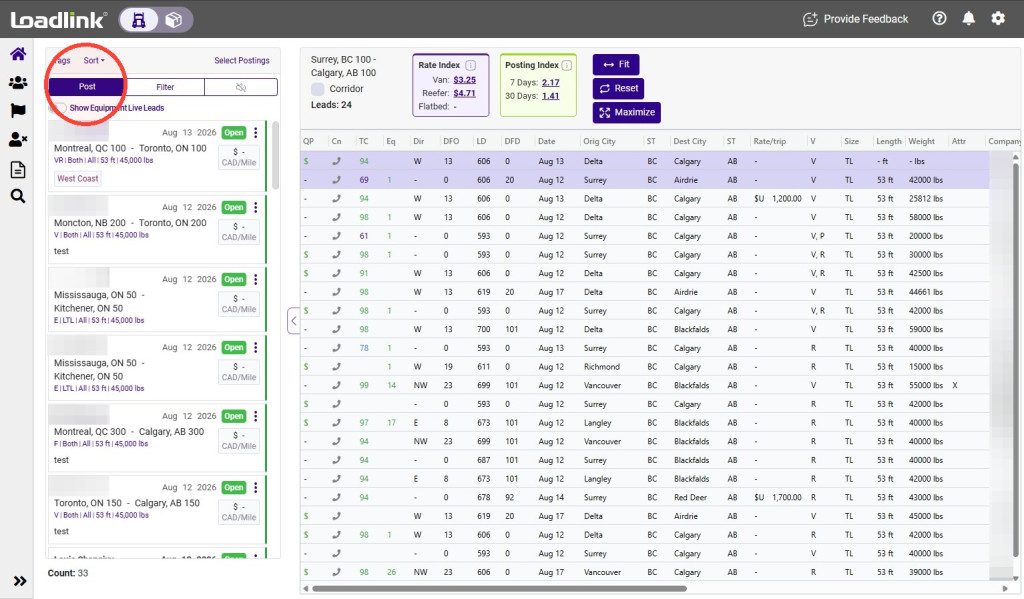
Click Post from your posting panel to create an equipment posting.
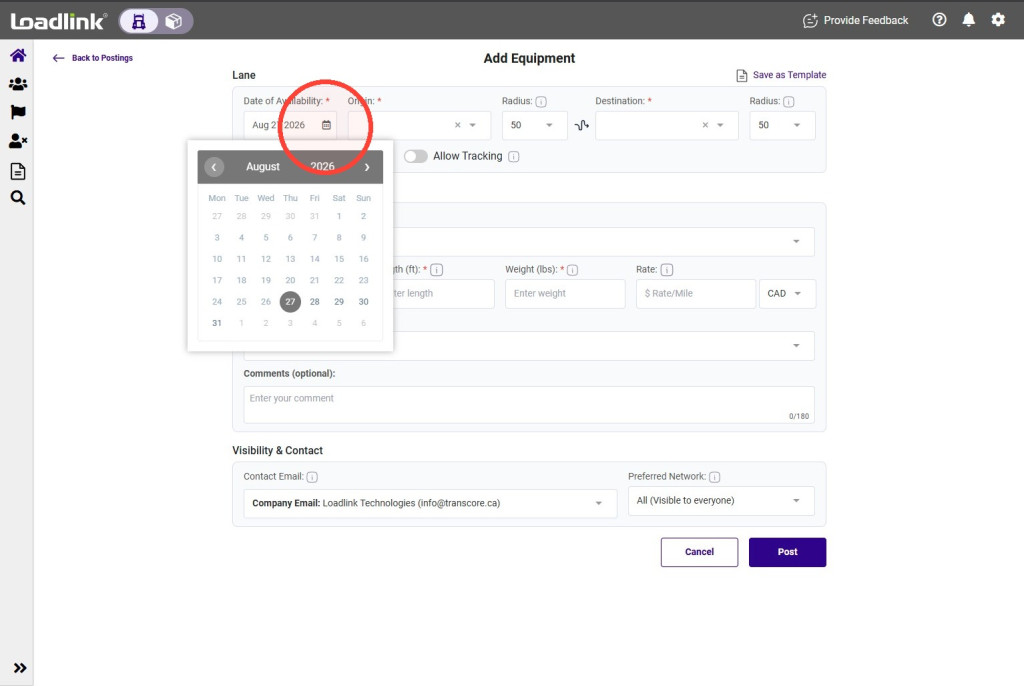
Set your availability date
Under Date of Availability, select the date your equipment will be ready.
Enter your route and radius
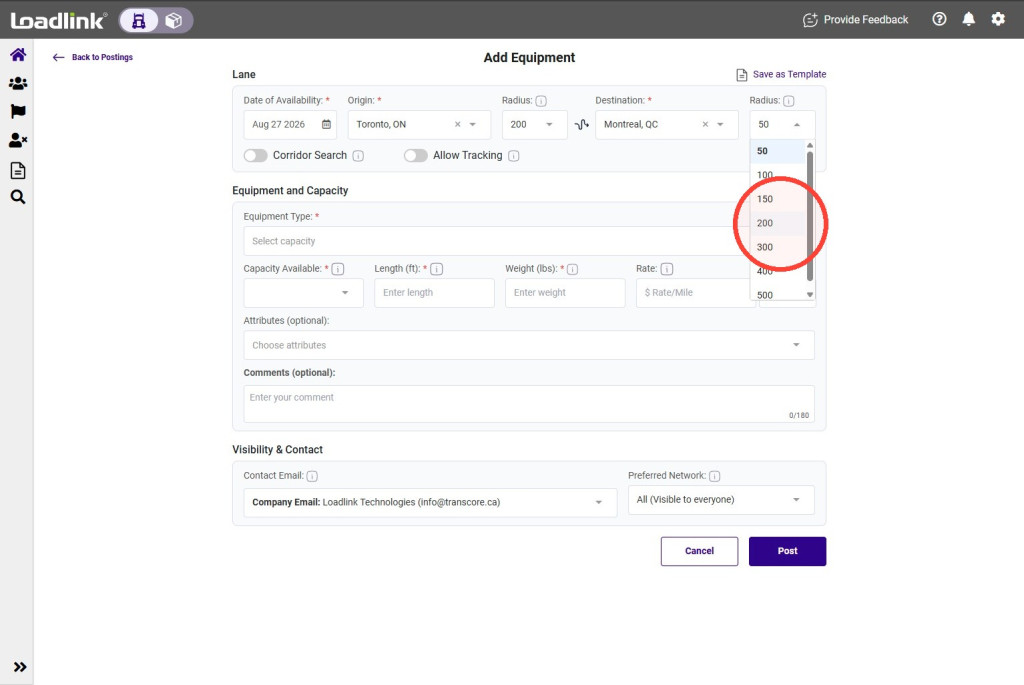
Enter your Origin and Destination, selecting the correct city from each dropdown list.
Adjust each Radius to control how far from your selected locations you want to find matches. A larger radius covers a wider area but may involve more driving without a load.
Tip!
If you find your posting doesn’t yield many matches, try expanding the radius around the origin and/or destination.
Broaden your search with Corridor (optional)
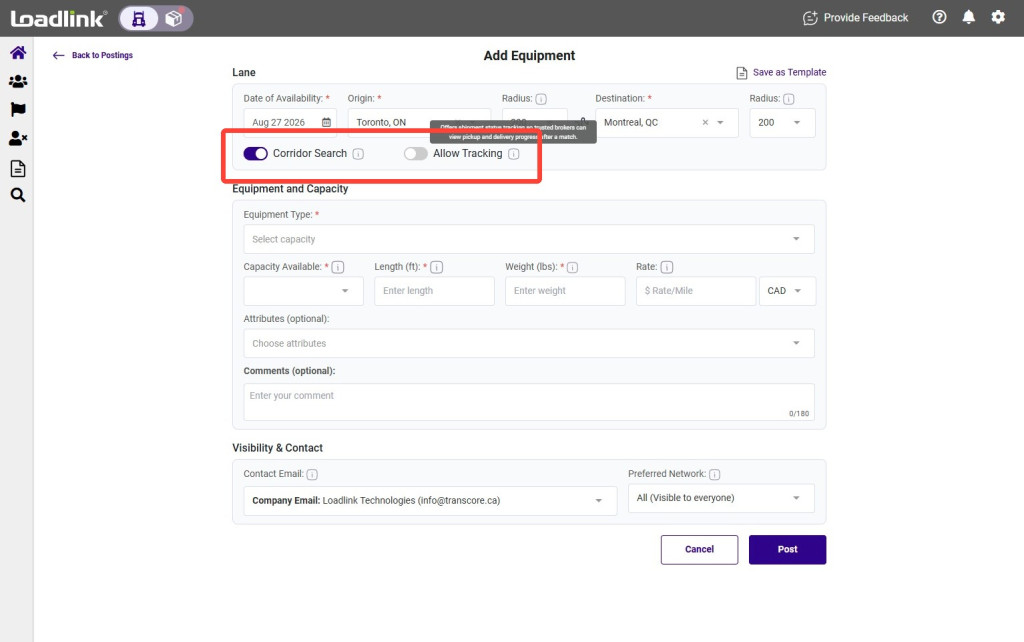
Use the corridor search to find additional loads along your route. This is useful when your destination is flexible.
Allow Tracking will advertise to Brokers that you offer dedicated tracking.
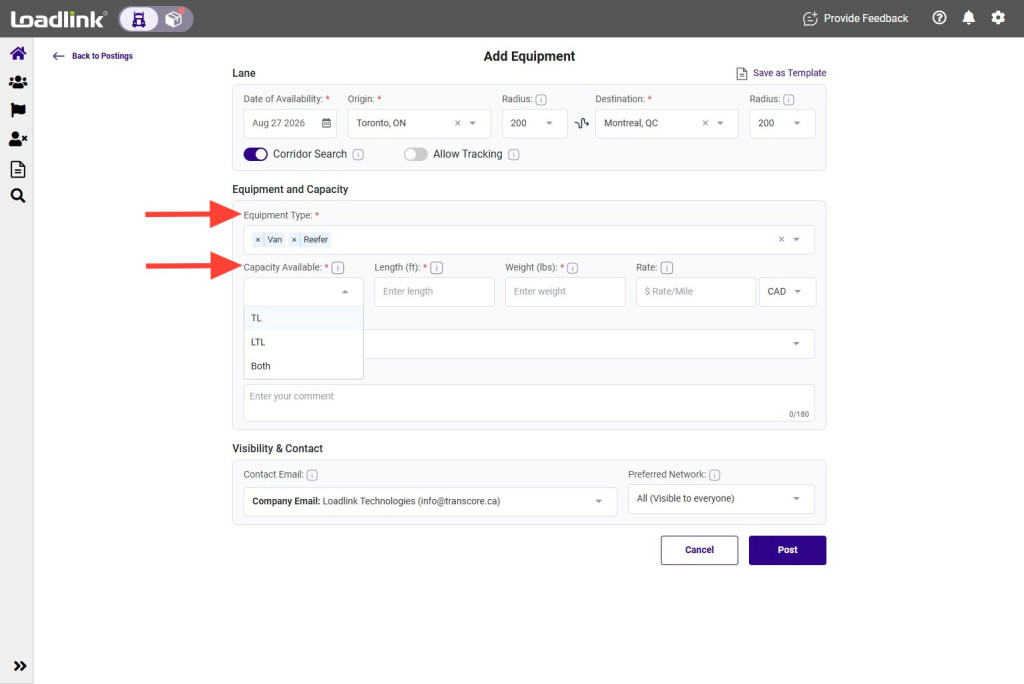
Select equipment and load size
Select the equipment type or types available, then choose:
TL: Truckload. LTL: Less-than-truckload. Both: Either load size.
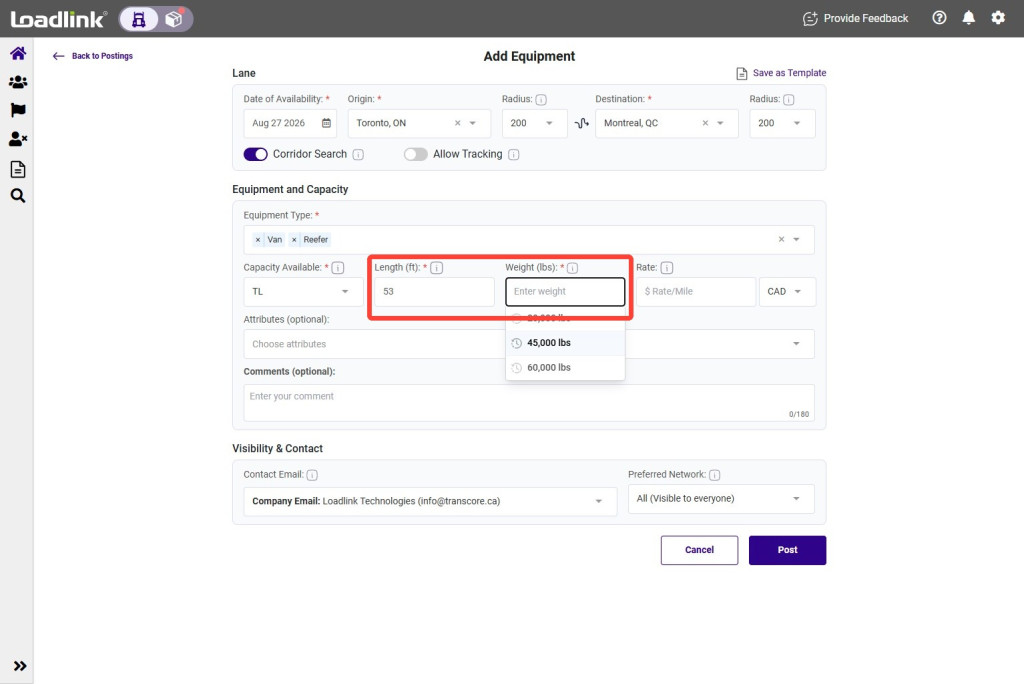
Enter available capacity
Enter your equipment’s length and the maximum weight available, using the units shown beside each field.
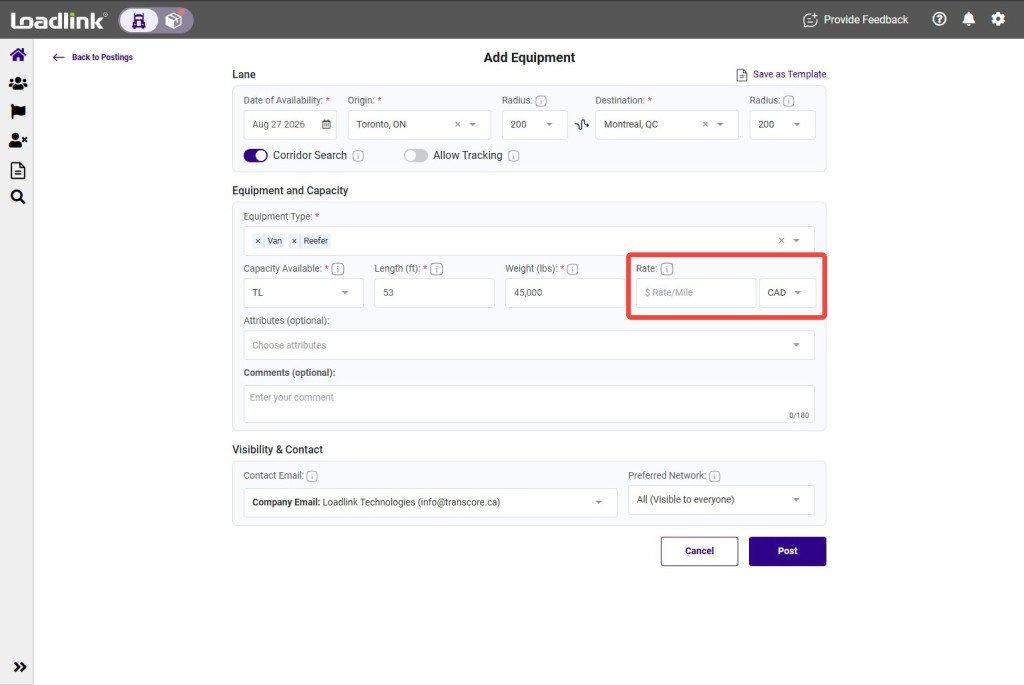
Add your requested rate (optional)
Enter your requested $ Rate/Mile and select CAD or USD. Leave this blank if you do not want to display a rate.
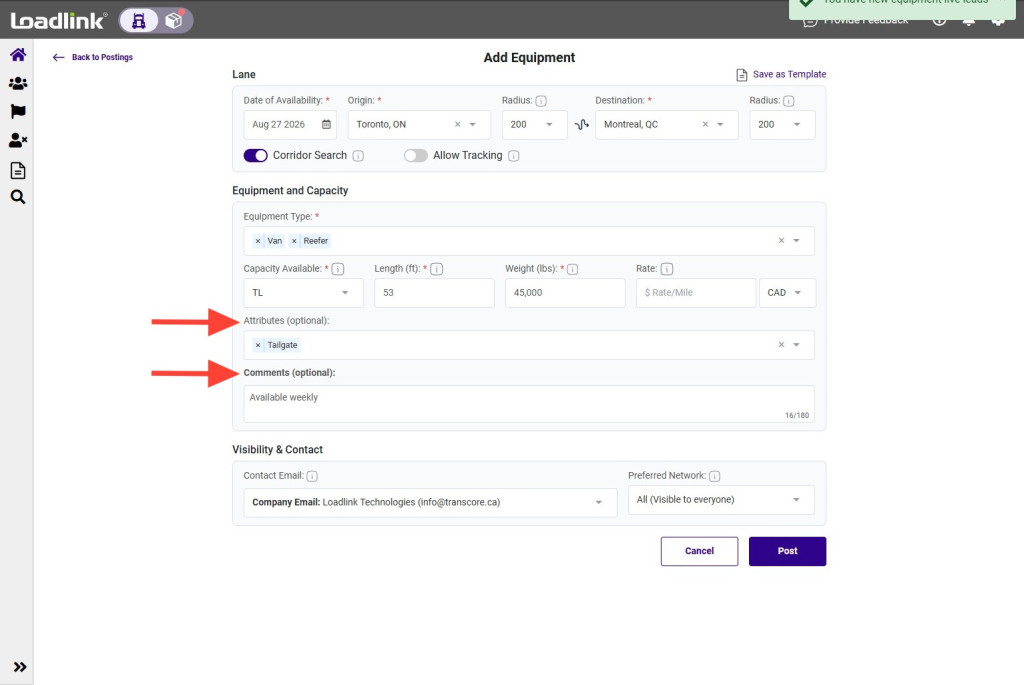
Add services and other details
– Allow Tracking: Turn this on if you provide shipment tracking links to brokers. – Attributes (optional): Add services you offer. – Comments: Include other equipment details, restrictions, or preferences brokers should know.
Tip!
Start typing in the Equipment or Attributes dropdown to narrow the list.
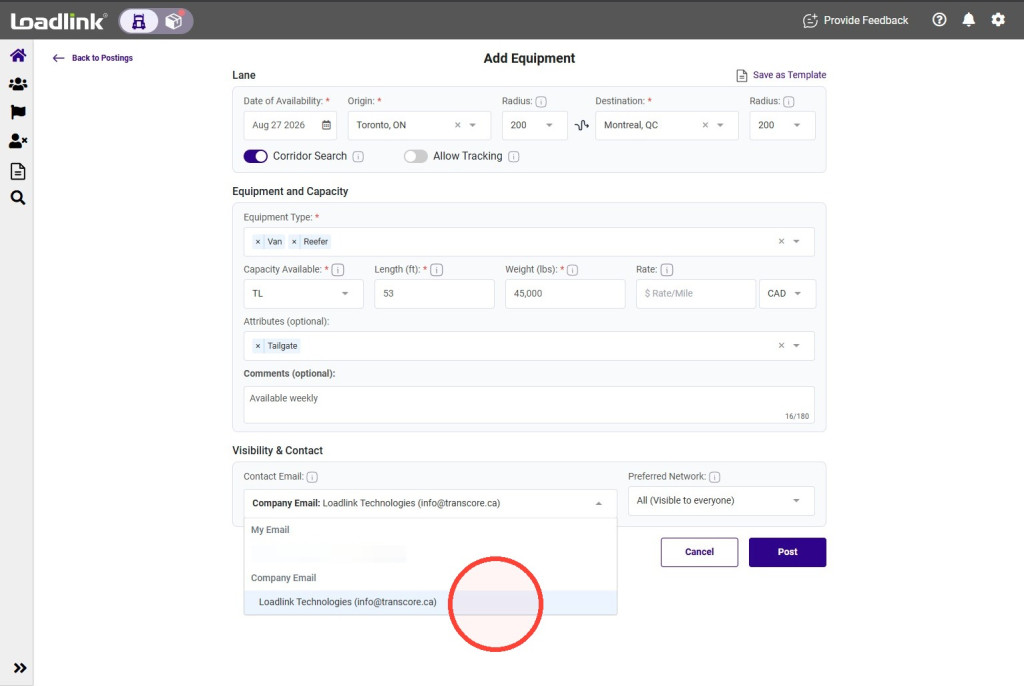
Choose your contact email
Select the address brokers should use:
– My email: Your Loadlink sign-in email. – Company email: The company email assigned to your account.
Your selection becomes the default for future postings. You can change it at any time.
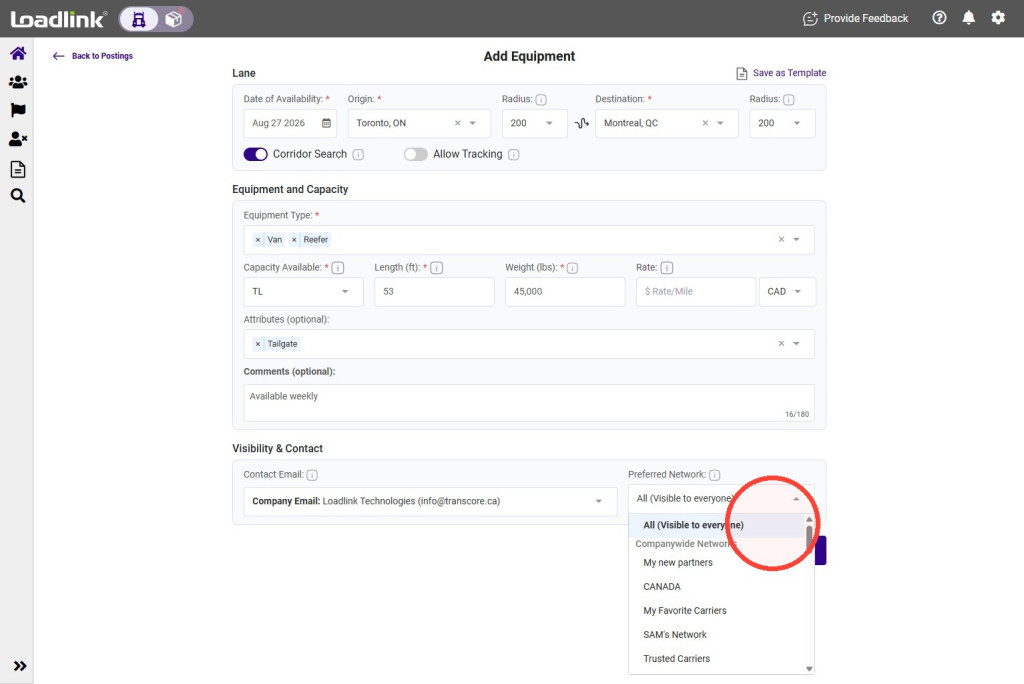
Choose who can view your posting
Make your posting visible to all members, or select a dedicated network to limit visibility to its members.
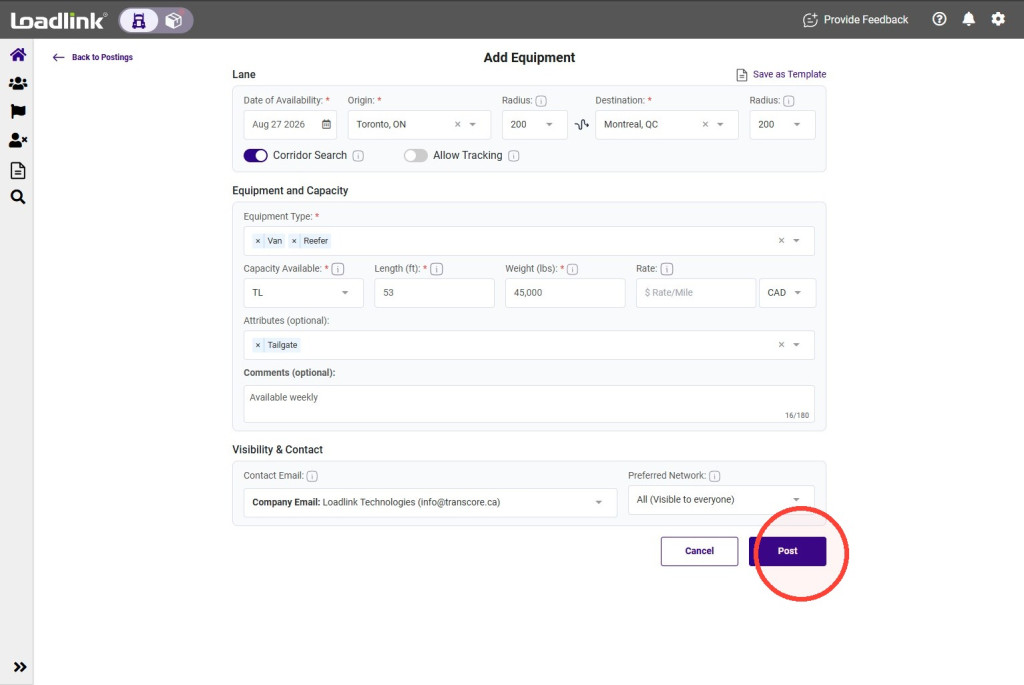
Review and publish
Check your availability, route, capacity, contact email, and visibility, then click Post. Your equipment posting is now live on Loadlink.