Book It Now gives selected carriers access to loads offered at a set rate. This guide explains how to review available loads, submit a booking request, and track the broker’s confirmation.
Book It Now loads are shared with a selected group of Loadlink carriers and include a set rate.
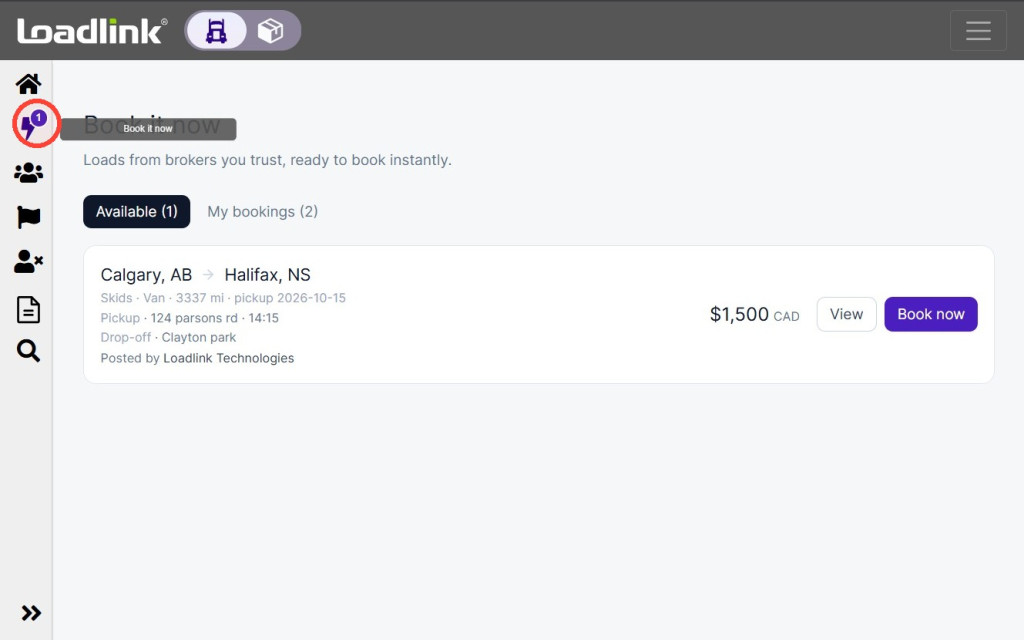
Select Book It Now from the navigation menu.
A notification badge will appear when a new Book It Now load is available to you.
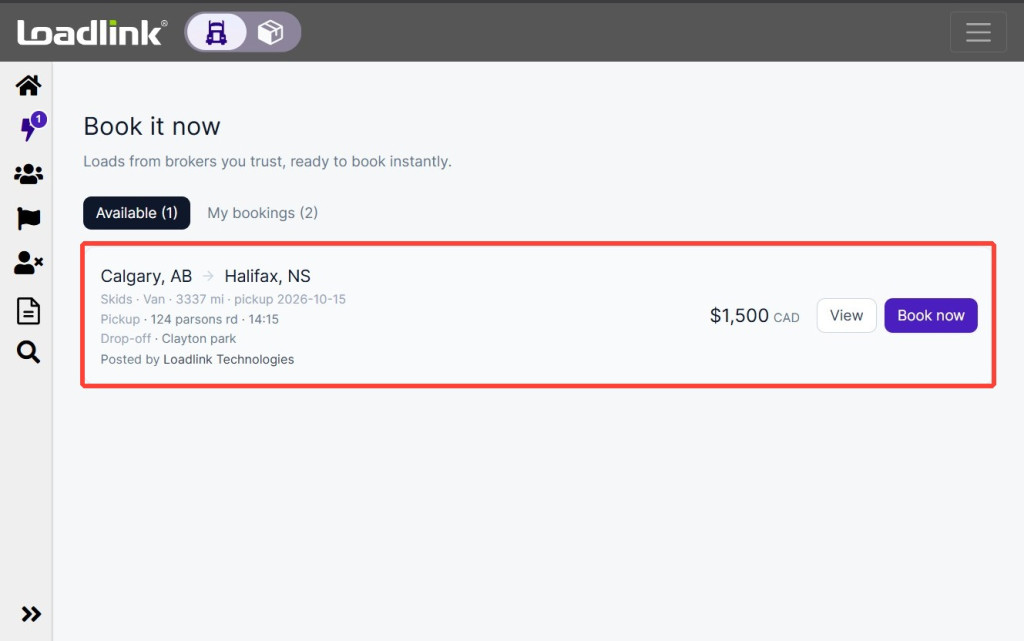
Available loads will appear as lead cards. From the lead card, you can:
Select Book now to submit a booking request without opening the full details.
Select View to review the complete load information before submitting your request.
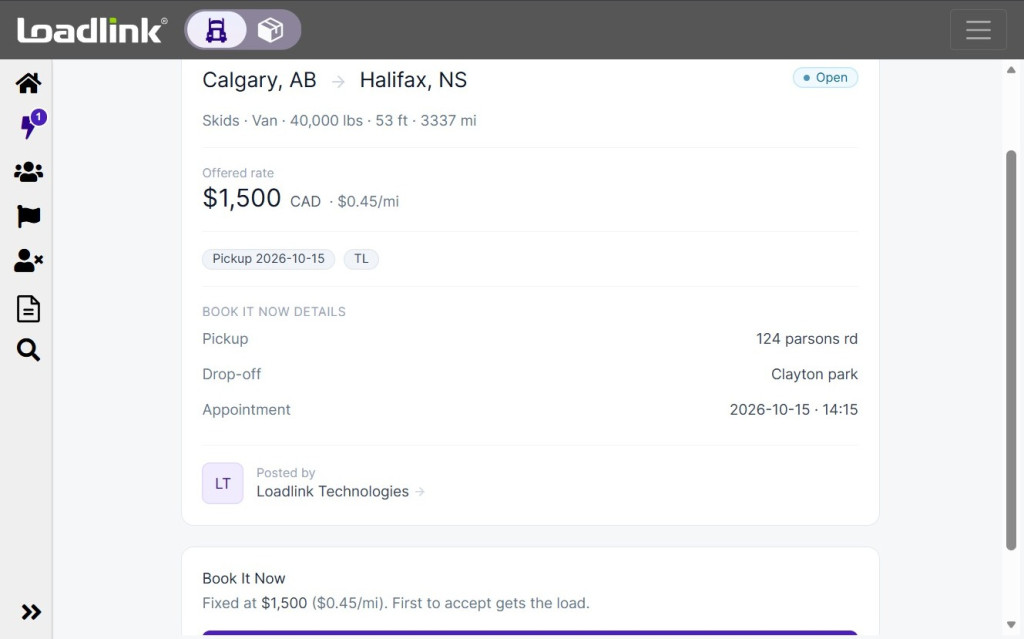
Select View to review:
• Equipment requirements • Load details • Pickup and delivery information • Appointment details • The broker’s company profile • Fixed rate
Loads listed under Book it Now are available on a first come first serve basis.
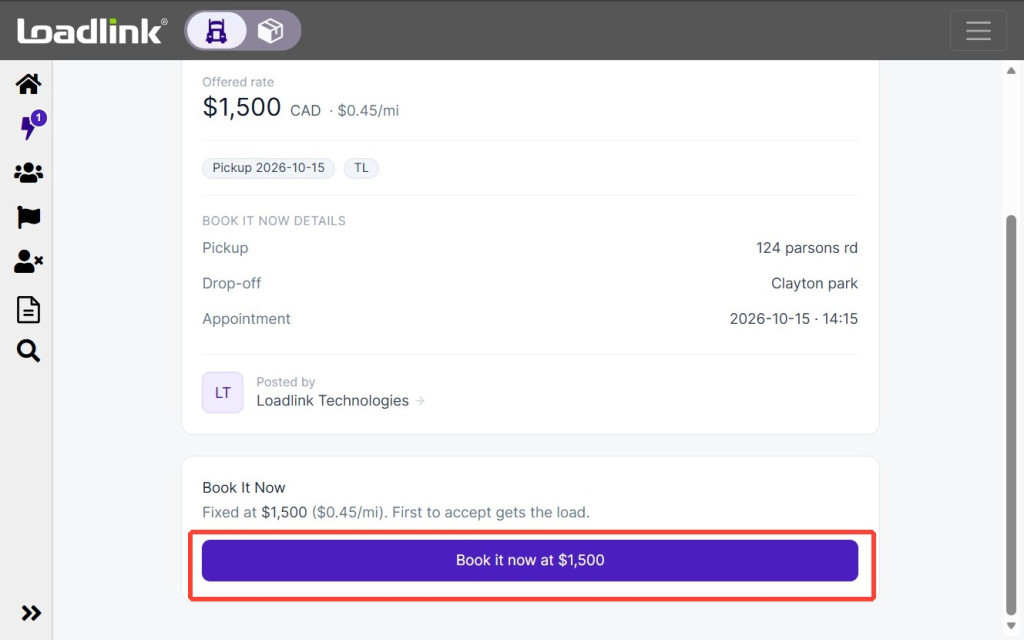
After reviewing the load details, select Book It Now at [rate] to submit your booking request.
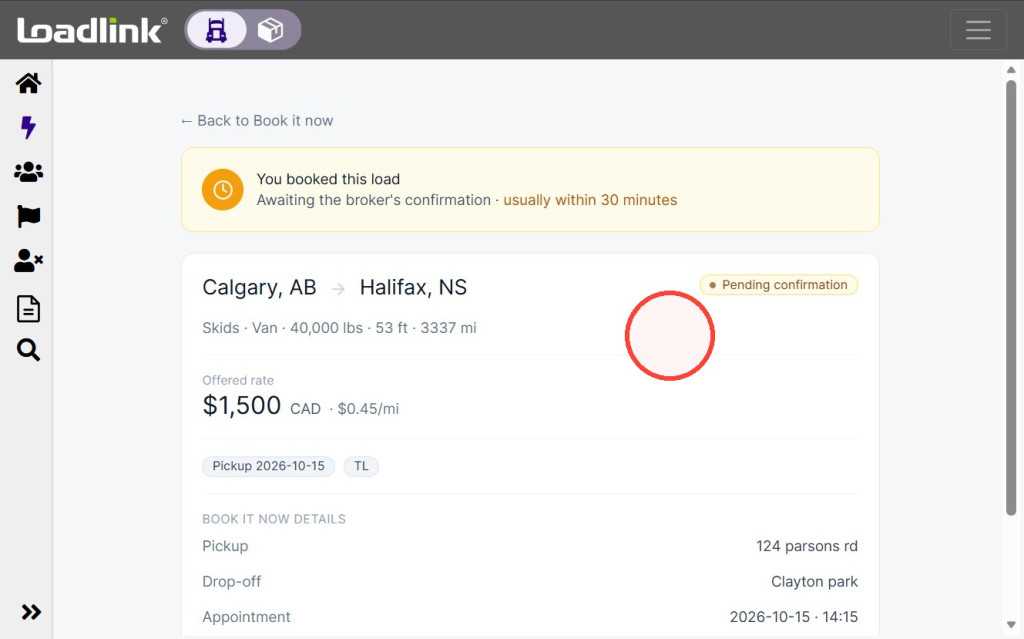
After you submit the request, the status will change to Pending confirmation. The broker will receive an email with your booking details and must accept the request.
Most booking requests are reviewed within 30 minutes.
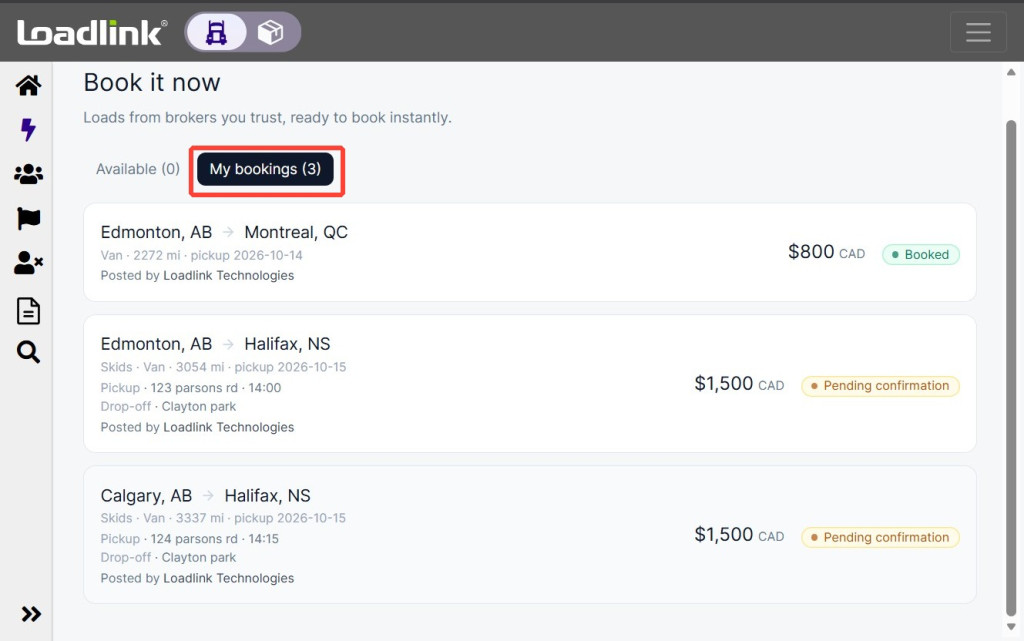
Select My bookings to check the status of your requests:
• Pending confirmation: Your request was sent and is waiting for the broker’s response.
• Booked: The broker accepted your request and confirmed the booking.
Confirmed booking details will remain available under My bookings for three business days.