Block or Unblock a Company Using Exclude: Broker Guide
Use Exclude to block a carrier you do not want to work with. After a carrier is excluded, their leads will no longer appear in your results, and they will no longer be able to view your load postings. This guide explains how to exclude a carrier and how to re-include them later.
Exclude From the Leads Grid
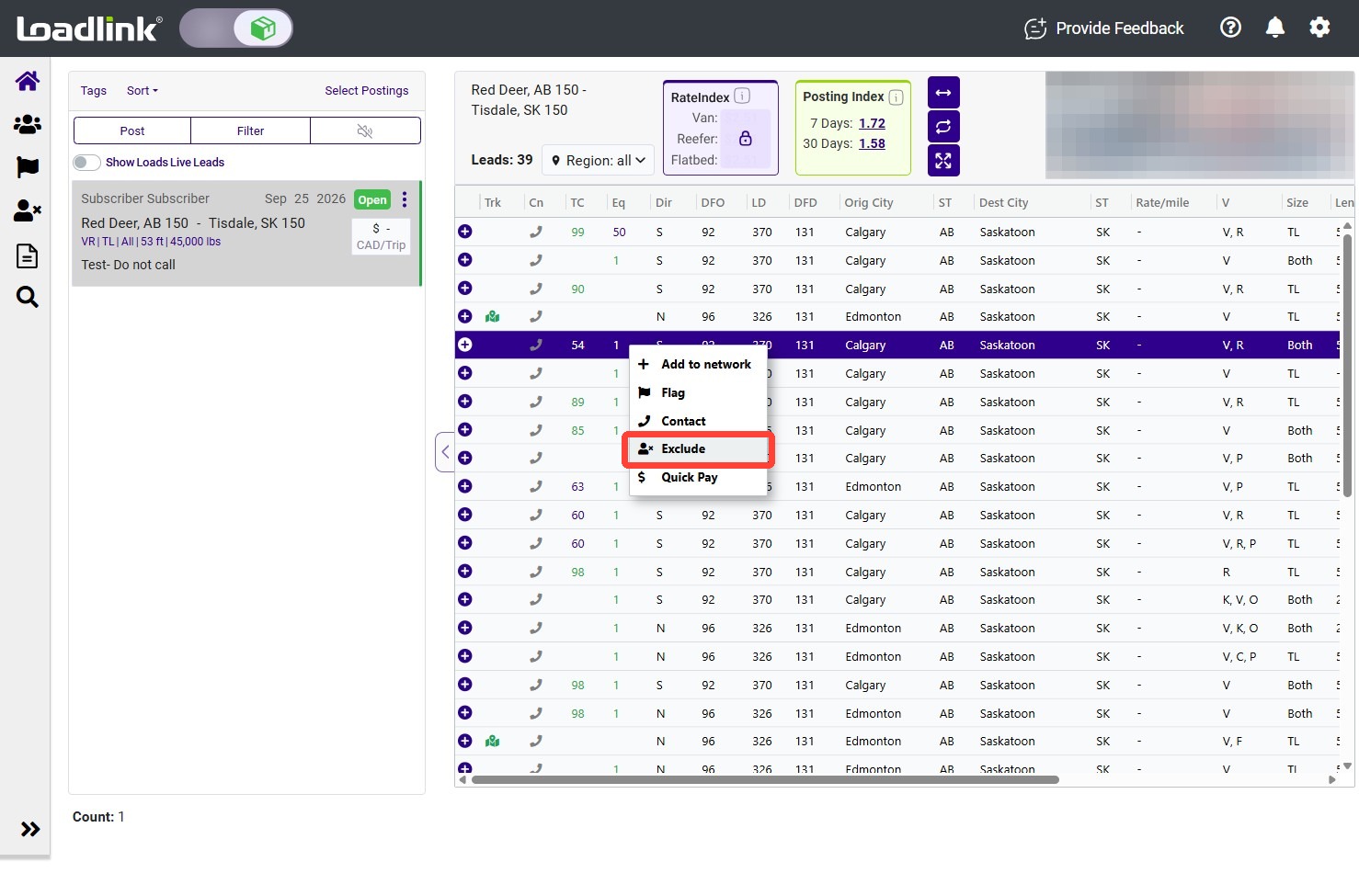
Right-click a lead from the carrier you want to exclude. Select “Exclude.”
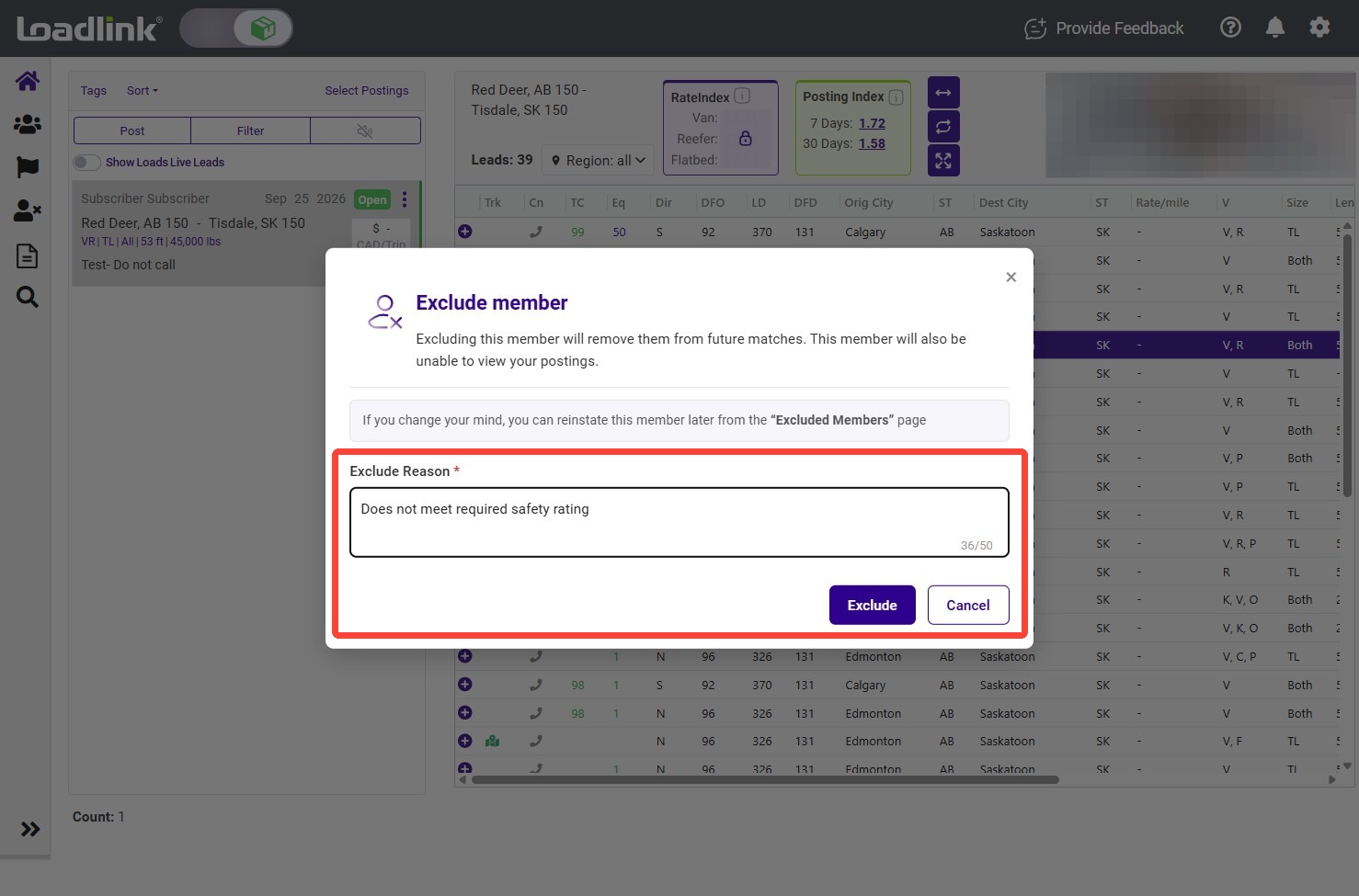
Enter the reason for excluding the carrier, then select “Exclude.”
Important:
Excluding the carrier removes their leads from your results and prevents them from viewing your load postings.
Excluding from Member Search
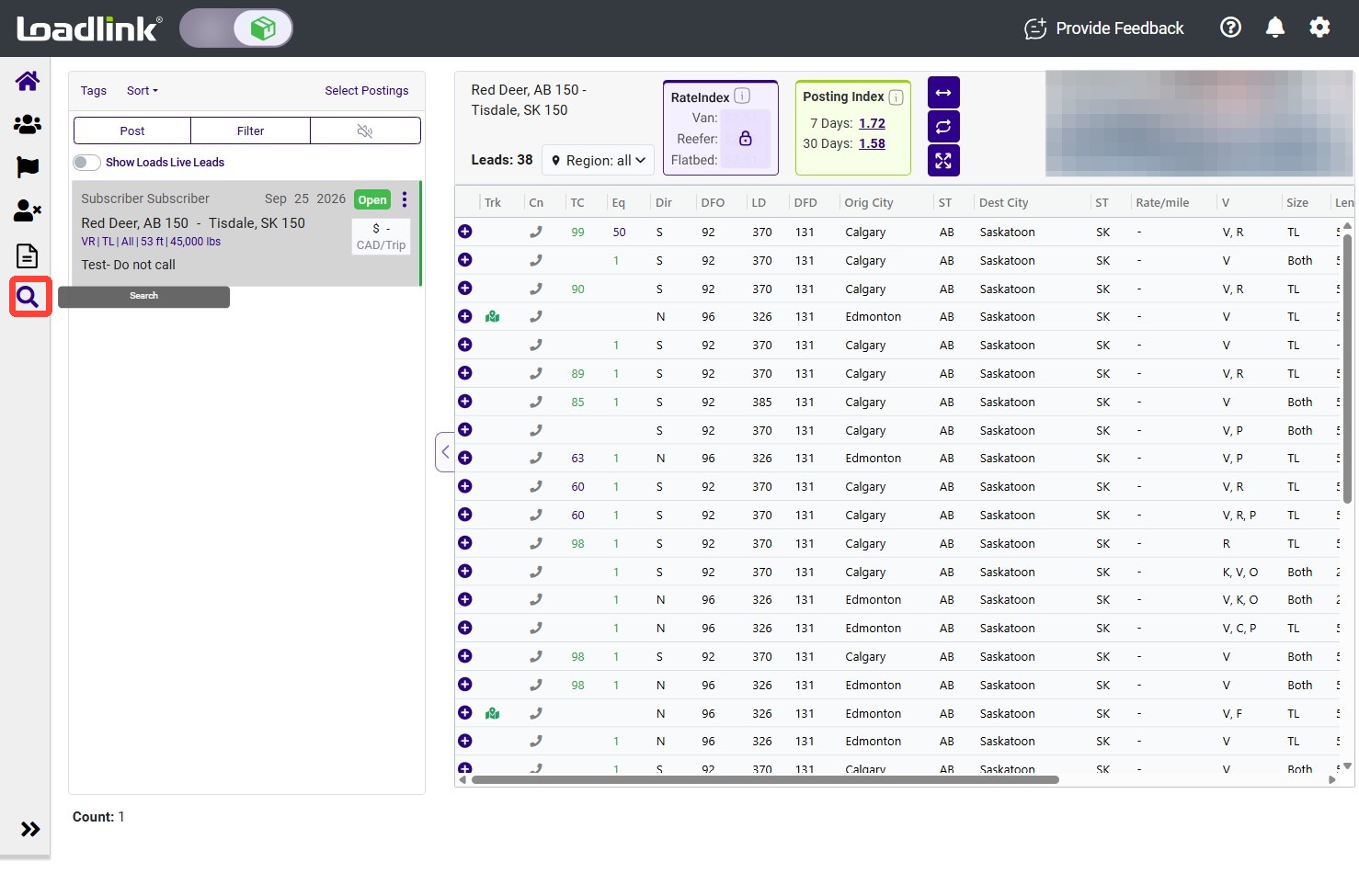
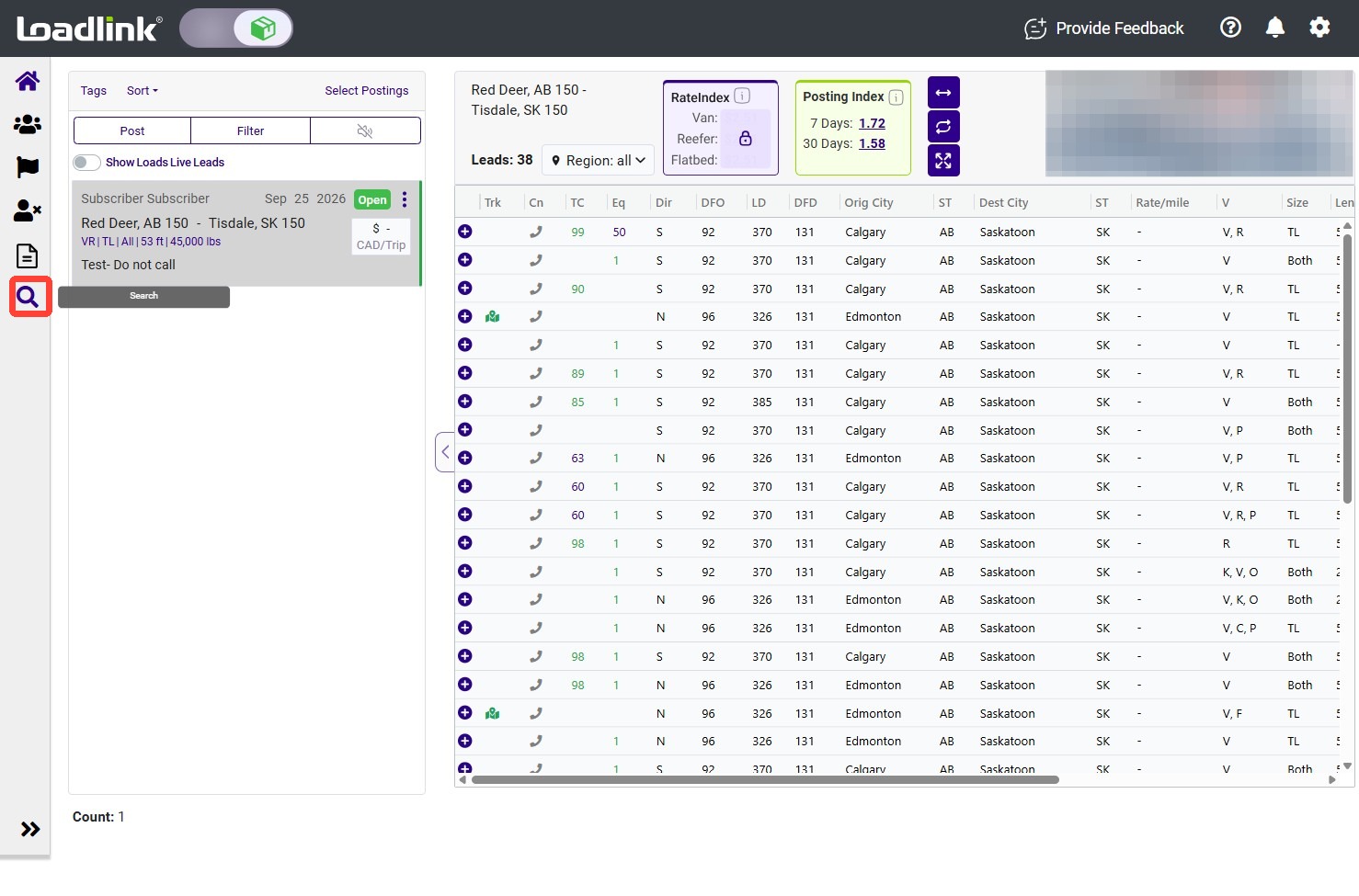
From the left navigation menu, select “Search.”
Enter your search criteria to find the carrier you want to exclude.
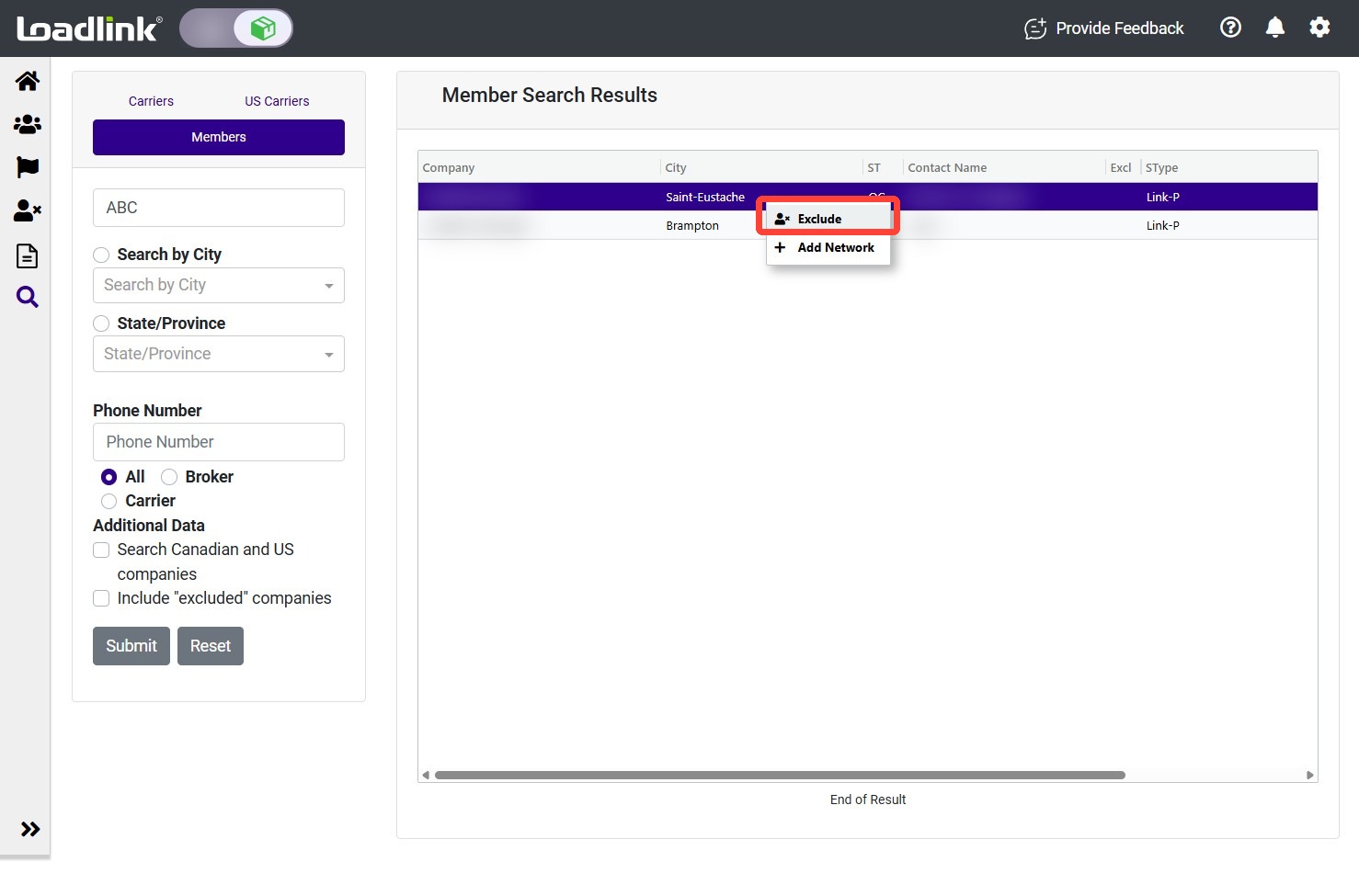
Right-click the carrier in the search results and select “Exclude.”
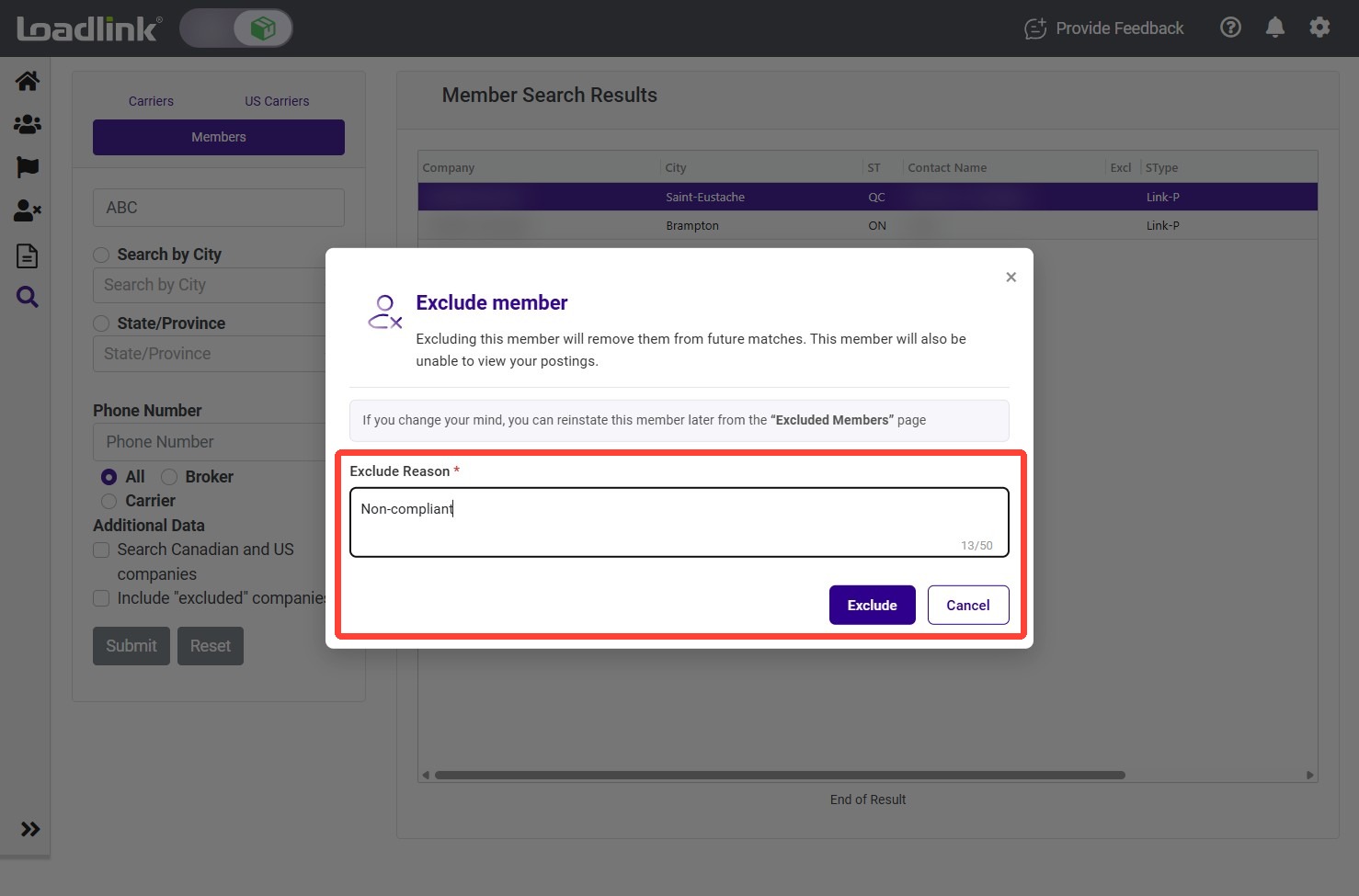
Enter the reason for the exclusion, then select “Exclude.”
Review or Re-Include an Excluded Member
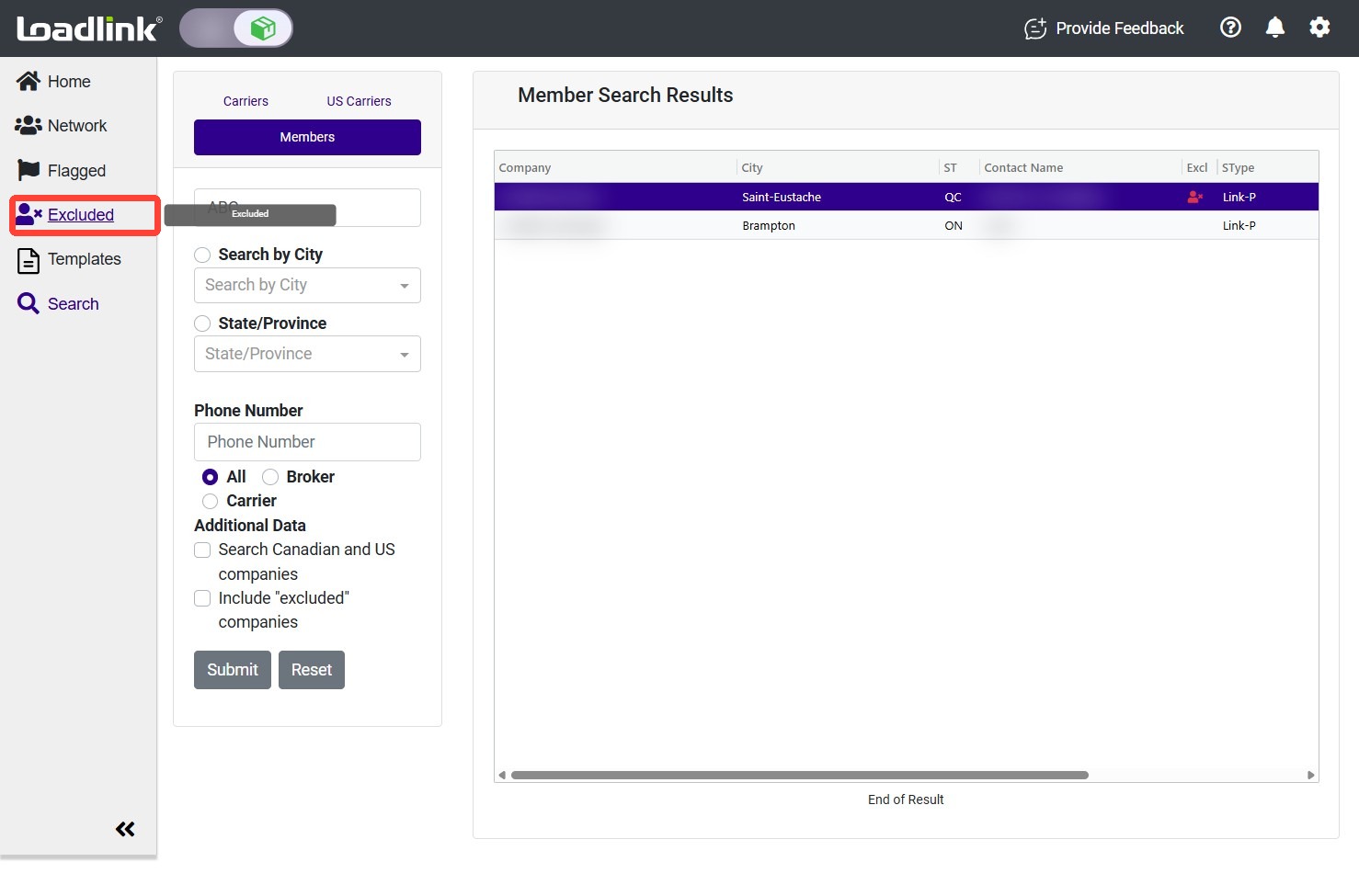
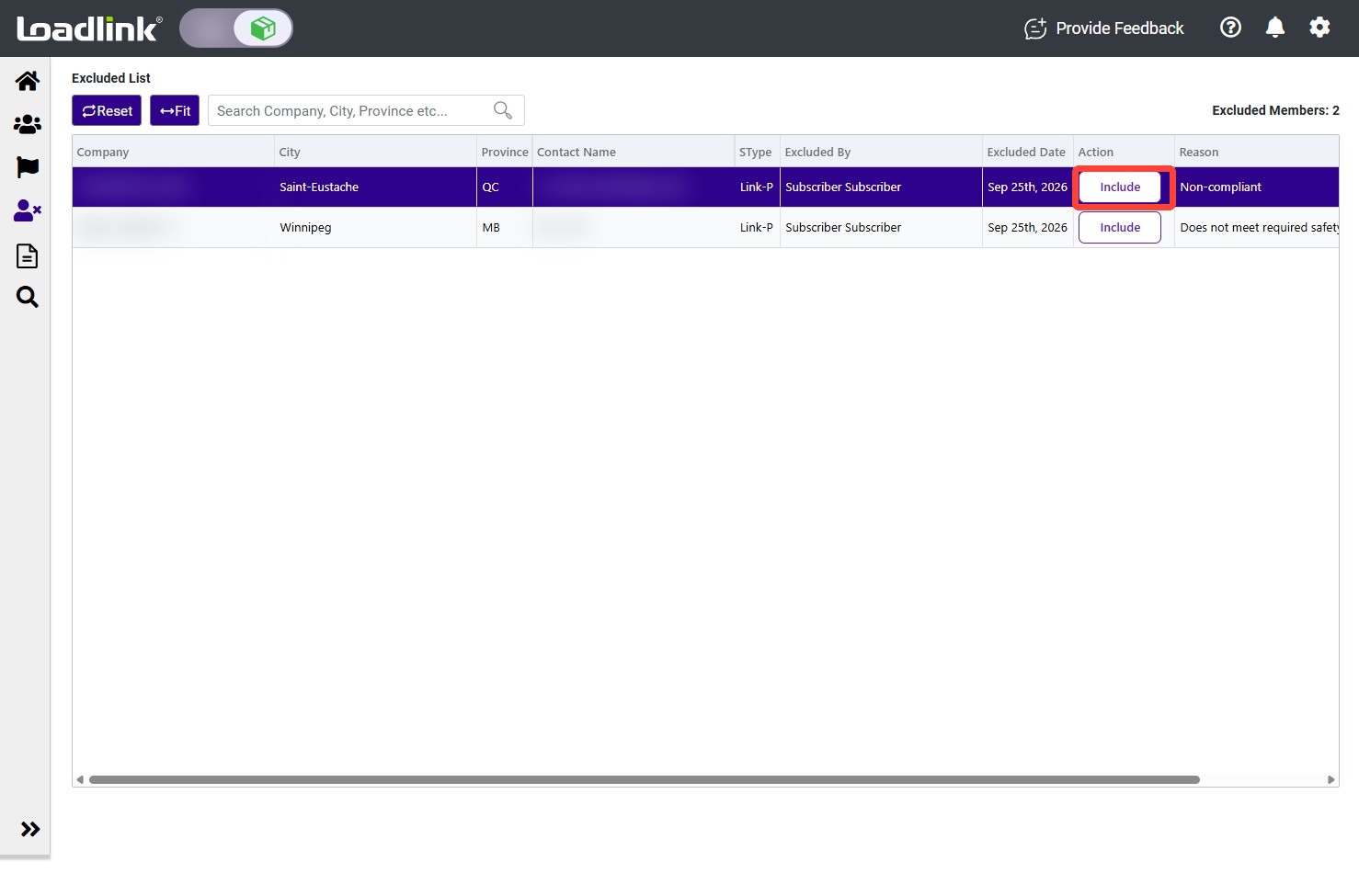
From the left navigation menu, select “Excluded.”
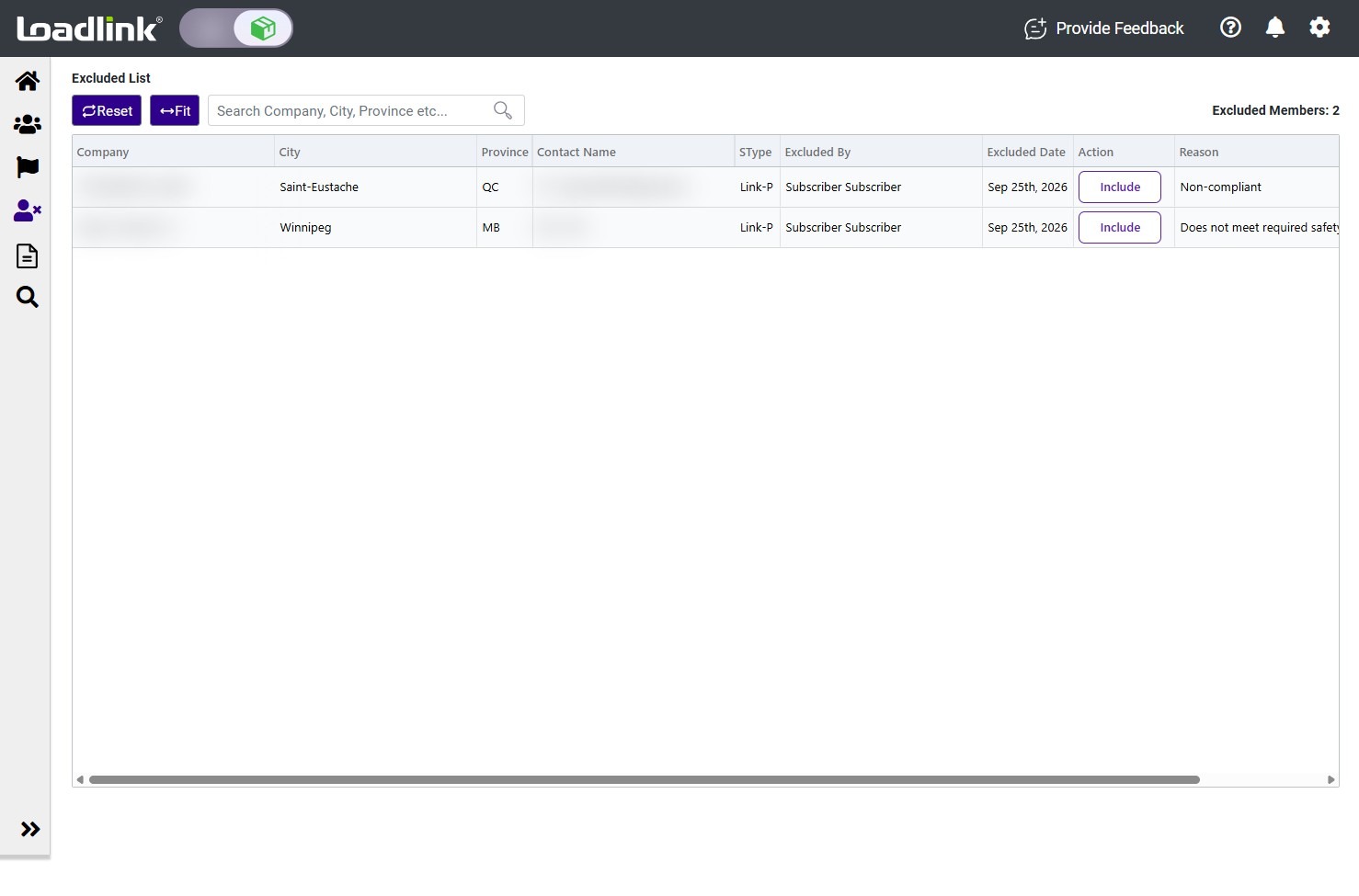
Review your excluded companies. The list shows who excluded each company, when it was excluded, and the reason provided.
To unblock a carrier, select “Include” beside the company.
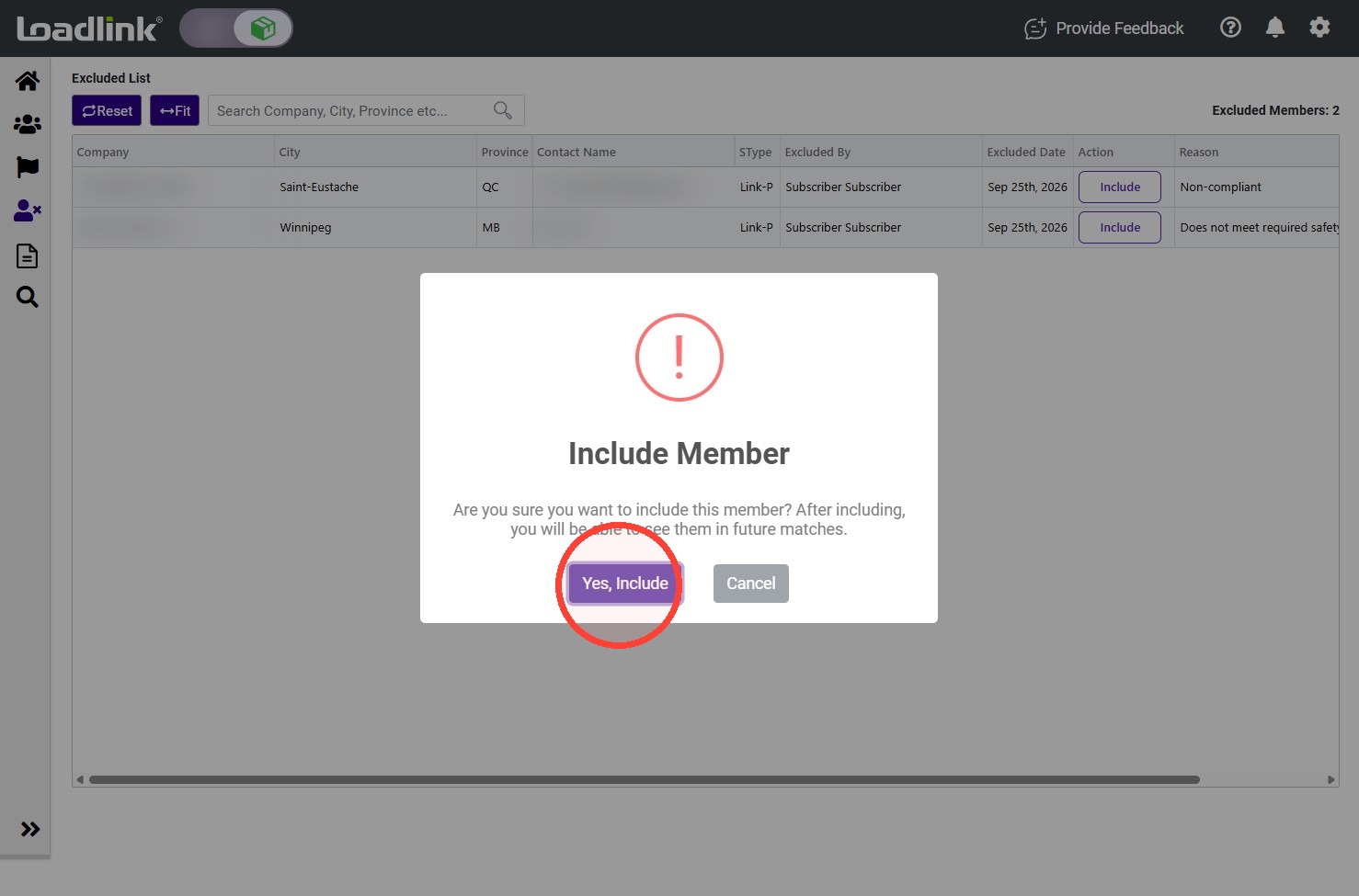
Select “Yes, Include” to confirm.
Note:
When the carrier is removed from your Excluded list, their leads will appear in your results again. They will now be able to view your load postings.