We heard your concerns, clarified recent changes, and made important updates to restore clarity around email visibility. Email access remains available.
This page explains what happened, what we’re fixing, and how to find and use emails in Loadlink today.
What Happened:
In mid-January, we introduced additional security measures intended to better protect against fraud and data scraping on the load board. While the goal was to protect your business, the rollout caused confusion and disrupted some common workflows. In particular, email addresses became harder to find, and our messaging gave the impression that email access was being restricted.
That was not our intent, and we understand the frustration this created.
We’ve made changes to reduce confusion and improve clarity around email visibility, and we also want to clearly explain how email access works across Loadlink today.
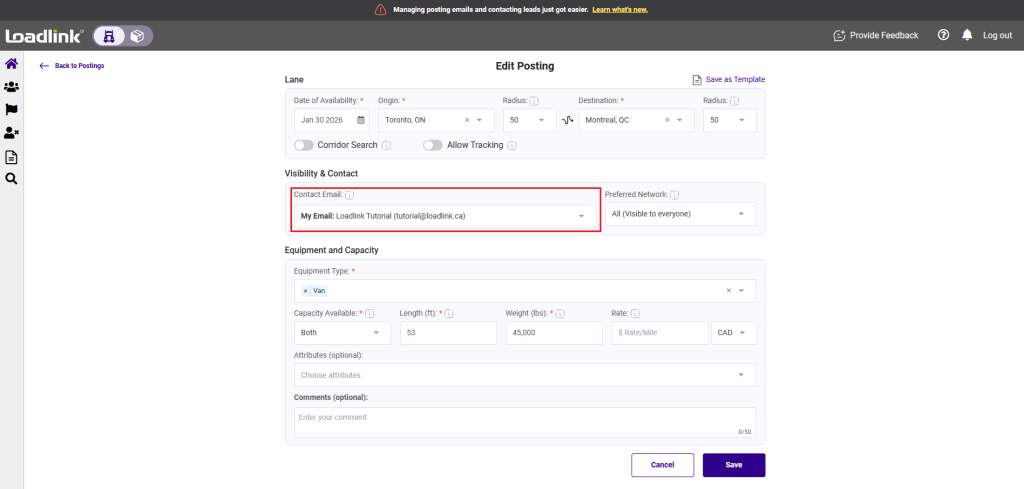
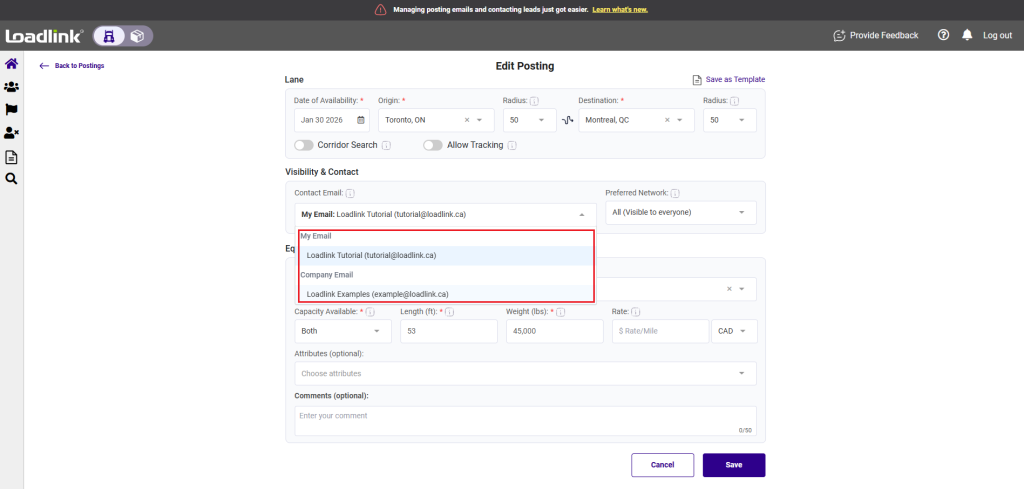
1. Selecting an email when creating a posting:
When creating a load or equipment posting, you can choose which email address others see and use to contact you.
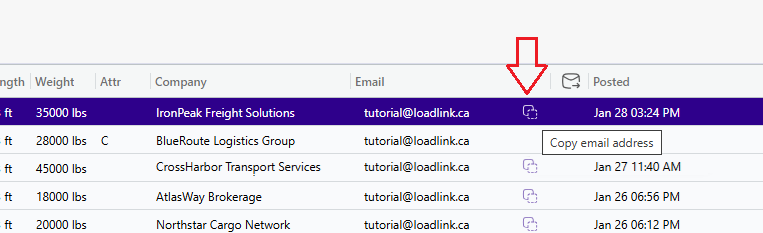
2. Lead emails on the load board:
Email addresses are now visible directly in the load board. This walkthrough shows where to find them and how to copy them.
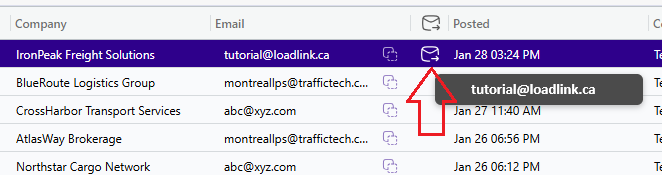
3. Email using Connected Email:
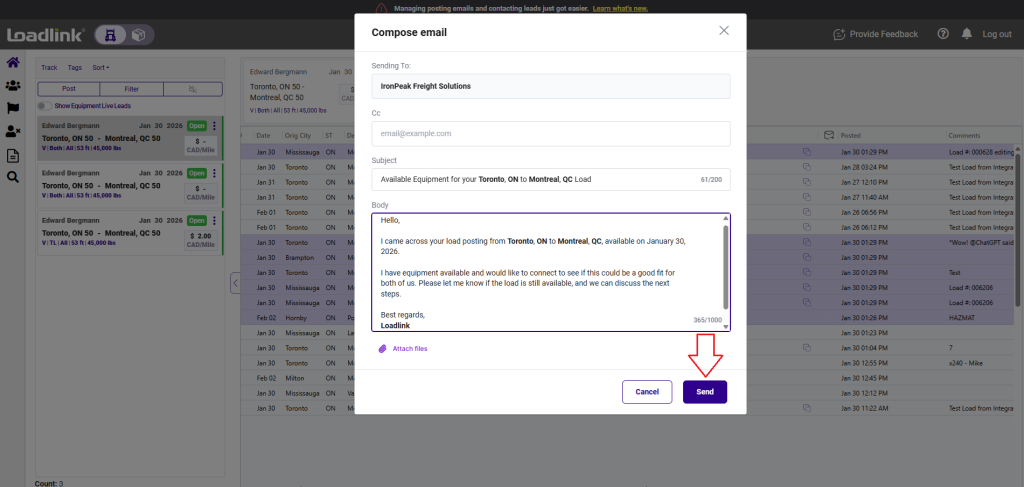
Connected Email lets you send and manage conversations without leaving Loadlink. It’s optional and available if it fits your workflow.
We care deeply about your feedback, and it helps shape how we make Loadlink safer and easier to work with every day.
If you have questions, need help, or would like to see Connected Email in action, our Customer Success team is available at (800) 263.6149, press 2.